FEWA Quick Pay is an easy way to pay an electricity and water bill in the Northern Emirates. You open the official page, enter your account number and pay. You may be asked for your registered mobile number or email to confirm it is you.
One thing confuses almost everyone first. EtihadWE replaced the Federal Electricity and Water Authority (FEWA) under a federal law. The service, the bills and the payment page are now run by EtihadWE at etihadwe.ae. People still search for “FEWA Quick Pay” because that is the name they know, so this guide uses both names.
Checked: 12 November 2026

Who Is FEWA Quick Pay For?
FEWA Quick Pay is for residents and businesses in the Northern Emirates: Ajman, Fujairah, Ras Al Khaimah and Umm Al Quwain. EtihadWE supplies their electricity and water.
It is NOT for Dubai (DEWA) or Abu Dhabi (ADDC). If your bill says DEWA or ADDC, this guide will not help you, and the FEWA page will not accept your account number.
FEWA vs DEWA vs ADDC vs SEWA: Which One Is Yours?
The UAE has four main electricity and water authorities, and each one covers different emirates. Paying on the wrong one’s page will not work, so check which one is yours.
FEWA or EtihadWE covers Ajman, Fujairah, Ras Al Khaimah, Umm Al Quwain and Dhaid in Sharjah emirate.
DEWA covers Dubai only.
ADDC covers Abu Dhabi.
SEWA covers Sharjah city.
The authority’s name is printed at the top of your bill. If it says FEWA or Etihad Water and Electricity, this guide is for you. If it says DEWA, ADDC or SEWA, use that authority’s own payment page instead. The steps are similar, but the account numbers do not cross over.
What You Need Before You Start
You need only one thing: your usually 10 to 12 digit FEWA account number. It is printed on your bill, usually near the top. Write it down before you open the payment page.
Check the number twice. One wrong digit means the payment goes nowhere useful, or the page shows someone else’s bill, or no bill at all. If you lost the bill, the number is also on older bills and on the EtihadWE app if you used it before.

How to Pay with FEWA Quick Pay (Website)
This is the main method, and it takes about two minutes.
- Open the official bill payment page. Go to https://etihadwe.ae/en/Services/eServices/Pages/Bill-payment.aspx on your phone or computer.
- Choose View and Pay Bill or Quick Pay. Follow the options shown on the page.
- Enter your usually 10 to 12 digit account number. Type it carefully, then check it once more against the bill.
- View your bill. The page shows your current bill, the amount due and the due date. Check that the name and amount match your bill.
- Choose how to pay. Card payments are accepted, and other options may appear on the page.
- Click Pay Now and wait for the success message. Do not close the page until you see it. Save the receipt or take a screenshot.
Card payments have a limit of AED 20,000 per payment and up to five payments a day.

How to Check Your FEWA Bill Before You Pay
You do not have to guess what you owe. The Quick Pay page shows it to you before you pay anything.
Enter your usually 10 to 12 digit account number on the official bill payment page, and it shows your current bill, the amount due and the due date. Check that the name and the amount match your paper bill. If they do not match, stop. You may have typed the wrong number, or you may be looking at an old bill.
The EtihadWE app shows the same thing, and it also shows your past bills. That is useful if you want to check whether last month’s payment went through before you pay this month’s.
Bills are issued monthly. If no bill shows on the page, the new bill may not be generated yet. Try again in a day or two.
Pay with the EtihadWE Mobile App
If you pay from your phone every month, the app is easier than the website.
Download the EtihadWE app from your phone’s app store. Open it, choose Quick Pay, enter your account number and pay with your card or wallet.
More Ways to Pay a FEWA Bill
Quick Pay on the website is the fastest way, but it is not the only way.
- Online banking. Most UAE banks list EtihadWE under utility bill payments. Add it as a beneficiary, enter your account number and pay. Bank payments can take longer than the official page, so pay early.
- Self-service kiosks. You can find them at malls, Lulu Hypermarkets, EPPCO and ADNOC stations. Check the EtihadWE website for the full list.
- Customer happiness centres. Visit an EtihadWE centre in person if you need help with the bill itself, not just the payment.
- Authorised exchange houses such as Al Ansari Exchange, Al Fardan Exchange and UAE Exchange.
- Emirates Post offices. Selected post offices accept FEWA bill payments too.
Paying by Bank: What to Know
If you prefer to pay from your bank instead of the EtihadWE page, you can. Most UAE banks list EtihadWE under utility bill payments.
Open your bank’s app or website, add EtihadWE as a beneficiary, and enter your usually 10 to 12 digit FEWA account number. Pay the full amount shown on your bill.
Two warnings. First, bank payments can take longer than the official page, so pay early. Second, your bank may charge separately for the transfer, while the official EtihadWE channels charge nothing extra. If you are close to the due date, use Quick Pay on the website instead. It is instant.
Payment Methods and Fees
| Method | Where | Fee | Speed |
|---|---|---|---|
| Credit or debit card | Website, app, kiosks | No extra charge | Instant |
| Apple Pay or Google Pay (if shown on the page) | Website, app | No extra charge | Instant |
| Bank transfer | Your bank’s app or website | Bank may charge separately | Longer than the official page |
| Cash / card at counter | Exchange houses, post offices, centres | Varies | Same day |
No extra fee is listed on the official EtihadWE channels, but check the final amount before you pay. If a third-party site asks for a fee to pay your FEWA bill, close it and use the official page above.
Moving House? What to Do with Your FEWA Account
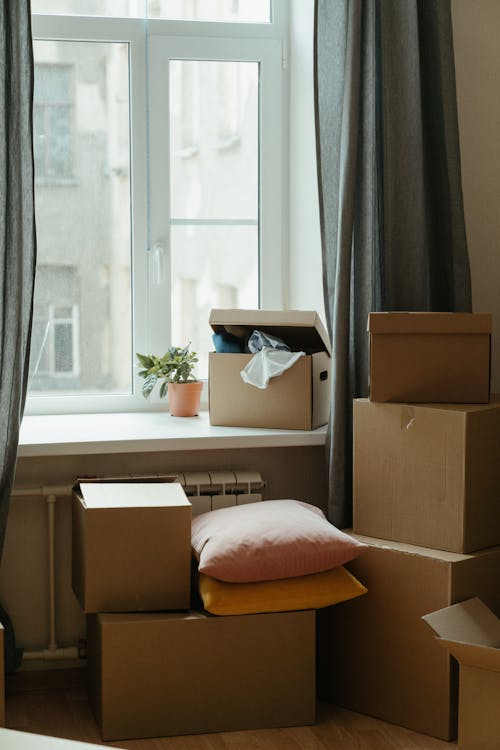
The account is tied to your property. When you move out, the bill keeps coming in your name until the account is closed or transferred.
Contact EtihadWE or visit a customer happiness centre before you move. Ask them to close the account or transfer it to the new tenant. Ask EtihadWE whether you need a clearance certificate when you move out. Take a photo of the final meter reading on your last day, so you have proof of where your usage ended.
When you move in somewhere new, the account for that property may already exist under the previous tenant’s name. Ask EtihadWE to transfer it to your name, and check the first bill carefully. If it shows usage from before you moved in, raise it at once with your receipt and your tenancy contract.
Check Before You Pay: Full Bill or Part Payment
Check the amount on the page before you pay. If you need a part payment or an instalment plan, contact EtihadWE directly, as the page may not offer it.
Two more warnings:
- Pay before the due date. Bills are monthly, and pay before the due date shown on your bill. Late payment can mean a fine.
- Never share your account number with strangers. Only enter it on the official EtihadWE page or app.
What If Something Goes Wrong?
The page shows no bill. Check the account number first, digit by digit. Then check that the bill is for FEWA or EtihadWE and not DEWA or ADDC. If both are right and the bill still does not show, the bill may not be generated yet this month. Try again in a day or two.
The payment failed but money left your account. Do not pay again straight away. Wait a few minutes, then check the bill status on the Quick Pay page. If it still shows as unpaid, call EtihadWE or visit a happiness centre with your receipt.
You typed the wrong account number. If the payment went through, contact EtihadWE at once with your receipt. Reversing it takes time, so check the number twice.
Paying Someone Else’s Bill
Quick Pay needs only the account number, so you can pay a family member’s bill if you have their number. This is useful if you pay the bills for your parents or for a property you manage.
Check the name and the amount on the page before you pay. The page shows whose bill it is after you enter the number. If the name is not the person you meant to pay for, stop. You typed the wrong number, and the payment would go to the wrong account. This only works if the page does not ask for the account holder’s registered mobile number or email.
FEWA Quick Pay FAQs
Do I need an account to use FEWA Quick Pay?
Quick Pay does not need a full registration. You need your account number, and the page may ask for your registered mobile number or email.
Is FEWA the same as EtihadWE?
Yes. EtihadWE replaced the Federal Electricity and Water Authority (FEWA) under a federal law. The service, the bills and the payment page are now run by EtihadWE at etihadwe.ae.
Can I pay only part of my FEWA bill with Quick Pay?
Check the amount on the page before you pay. If you need a part payment or an instalment plan, contact EtihadWE directly, as the page may not offer it.
Is there a fee for using FEWA Quick Pay?
No extra fee is listed on the official EtihadWE website, app or kiosks, but check the final amount before you pay. Your bank may charge separately if you pay by bank transfer.
Which emirates does FEWA cover?
Ajman, Fujairah, Ras Al Khaimah and Umm Al Quwain, and Dhaid in Sharjah emirate. Dubai uses DEWA and Abu Dhabi uses ADDC, so FEWA Quick Pay does not work for bills from those two emirates.
Does FEWA Quick Pay work at night or on weekends?
Yes. The website and the app work any time, day or night, including weekends. Many self-service kiosks are open late, but hours depend on the location. Customer happiness centres, post offices and exchange houses keep normal working hours, so use the website or the app outside those hours.

The Dubai Tours and Safari editorial team researches and updates our Dubai and UAE travel guides, checking prices, timings and facts against official sources.